Restock ProRestock Pro Install app

Features

Everything you need to capture demand during stockouts and follow up when inventory returns.

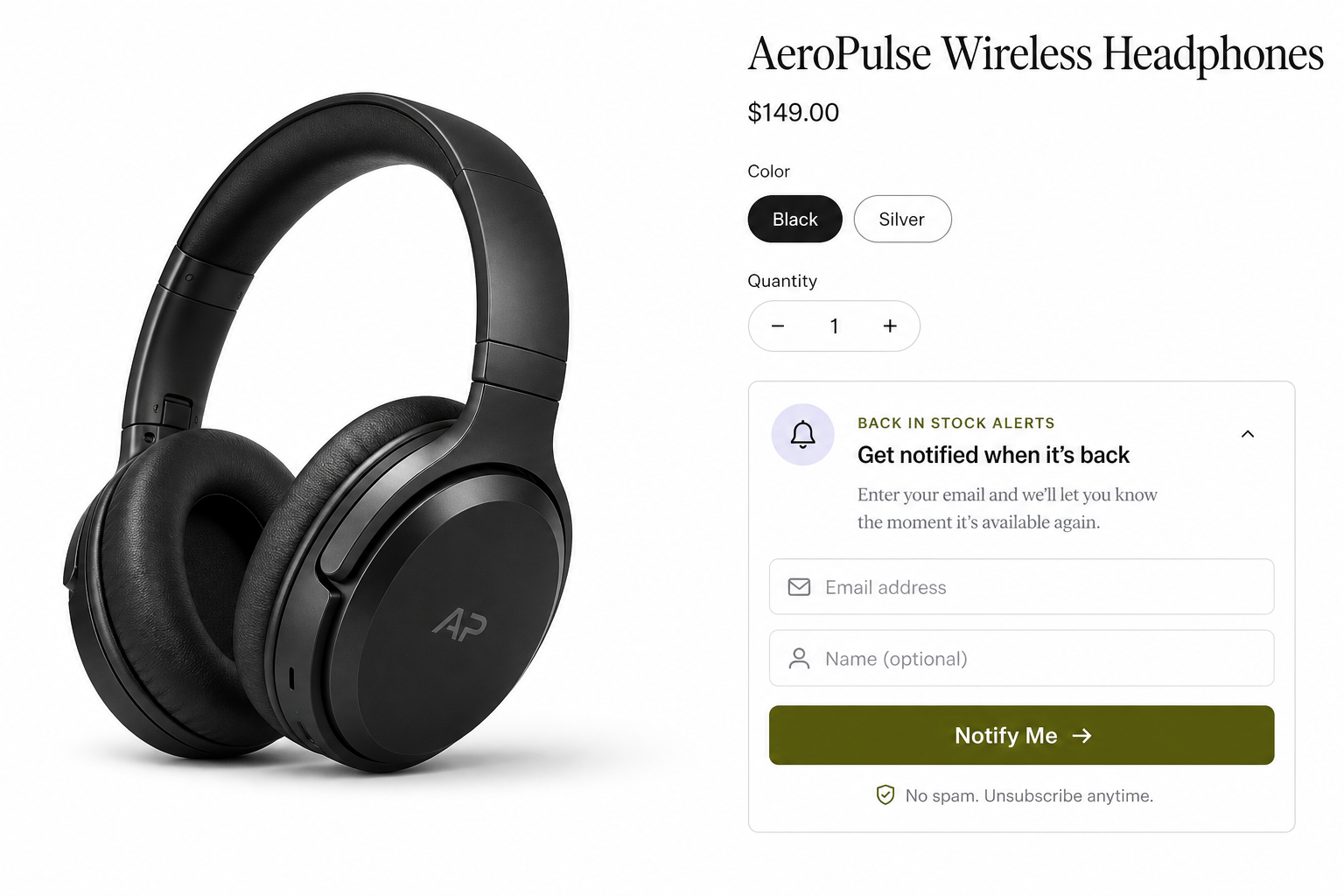
Notify Me widget

A theme app extension on out-of-stock product pages. Customers expand the form, enter their email, and join the waitlist — no account required. Tracks the selected variant (size, color, and more).

  • Variant-aware waitlists
  • Customize colors, fonts, and button copy
  • Enable in the theme editor — no code
  • Works on mobile and desktop
Notify Me form on an out-of-stock headphones product page

Automatic restock emails

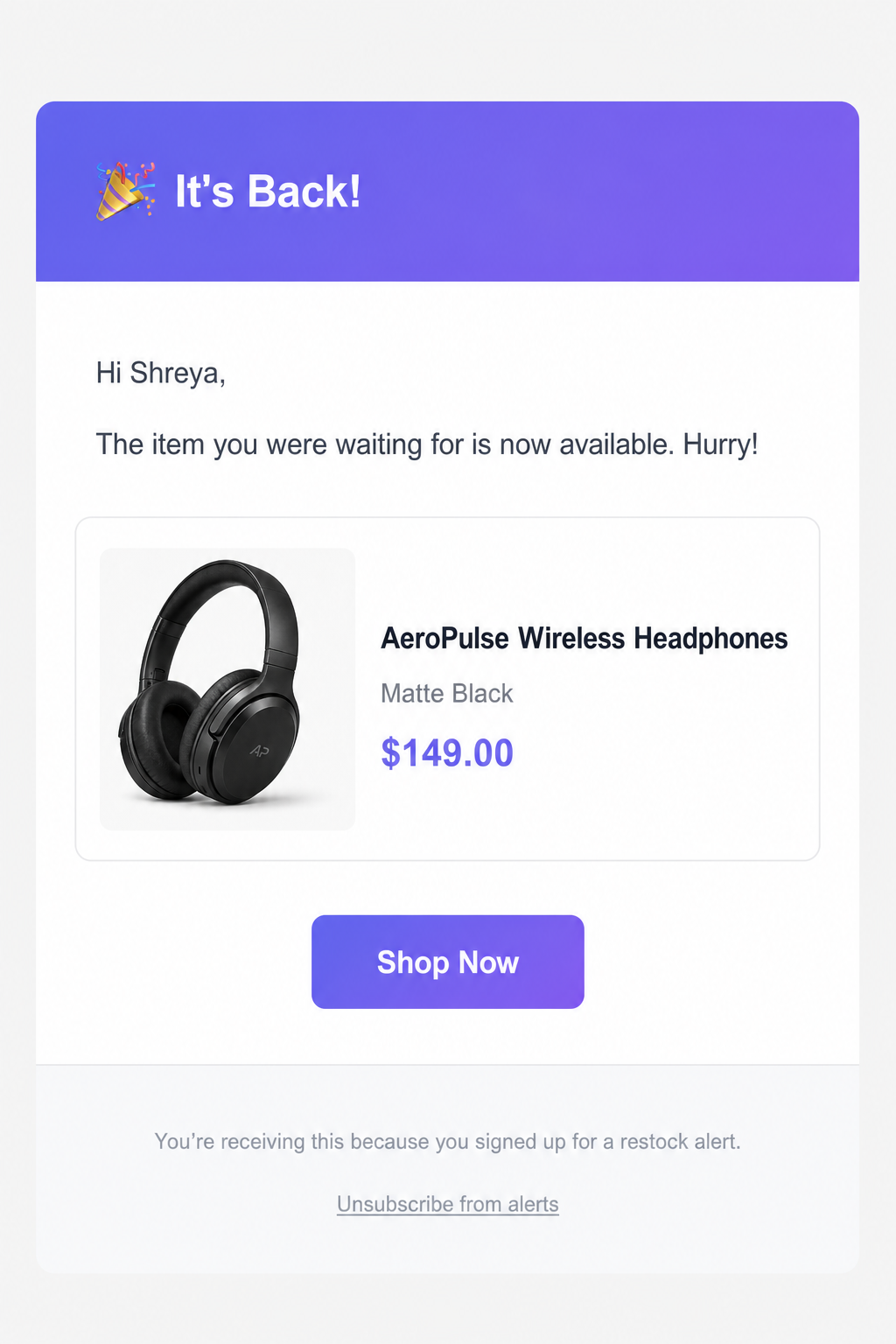
When inventory returns in Shopify, Restock Pro sends notification emails automatically. No spreadsheets, no manual sends.

  • Sends when stock is back
  • Unsubscribe link in every email
  • Customize subject, message, and CTA
Back-in-stock email for AeroPulse headphones with Shop Now button

Subscriber management

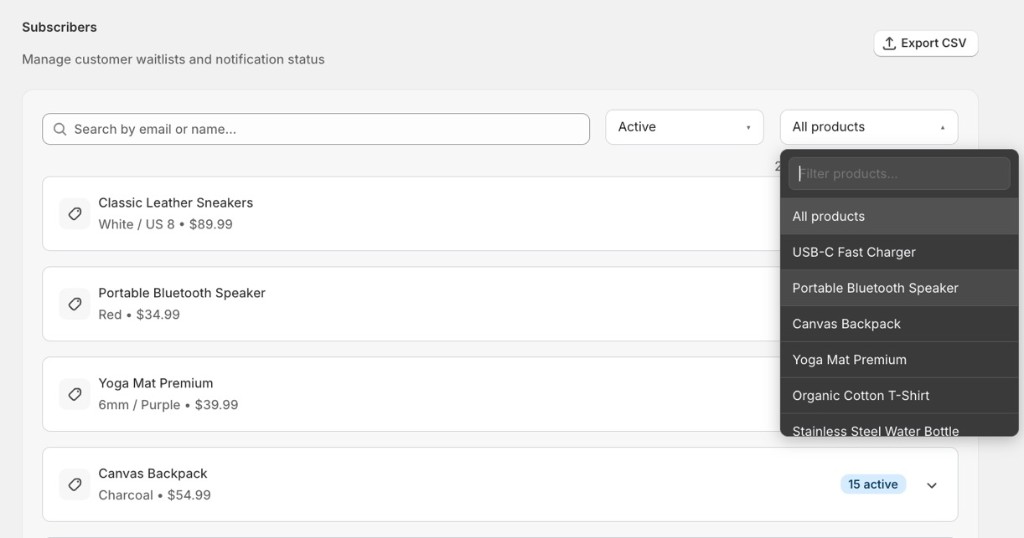
View every customer waiting for a restock. Filter by product, export your list, and see who is still waiting.

  • Centralized subscriber list
  • Export to CSV
  • Filter by product and status
Subscribers page with search, status filter, and product waitlists

Dashboard

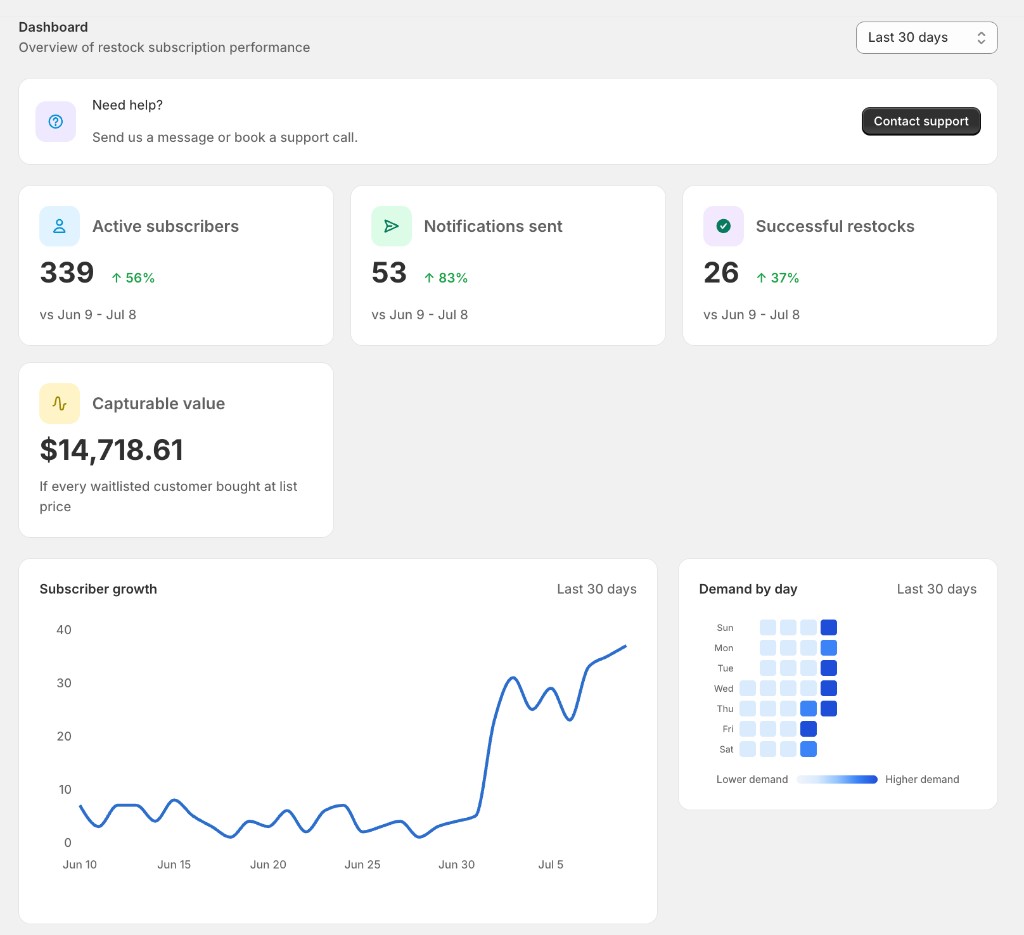
See how your waitlist is growing, demand by day, and capturable value at a glance.

  • Subscriber growth trends
  • Demand heatmap by day
  • Notifications and successful restocks
  • Capturable value metric
Dashboard overview with metrics, growth chart, and demand heatmap

Demand insights

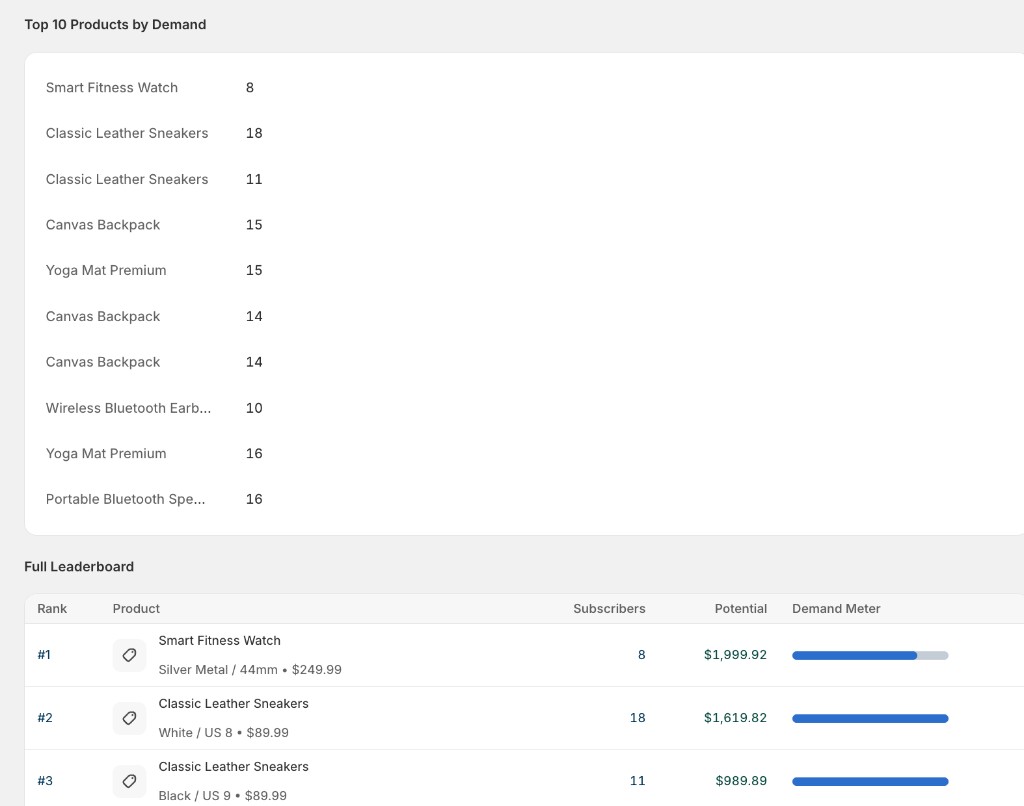
Rank products by waitlist interest and potential value so you can restock what customers actually want.

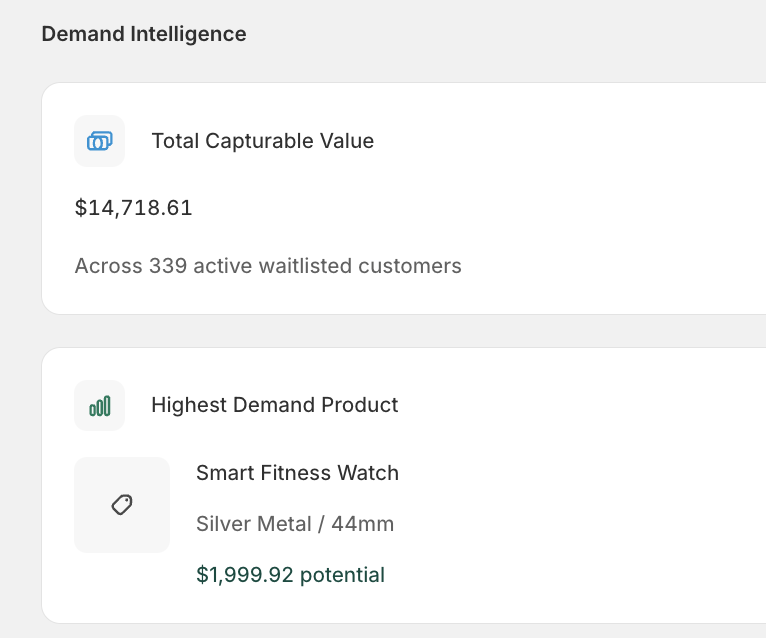
  • Total capturable value
  • Highest demand product highlight
  • Full product leaderboard with demand meter
Demand Intelligence with total capturable value and highest demand product
Demand leaderboard ranking products by subscribers and potential revenue

Past events

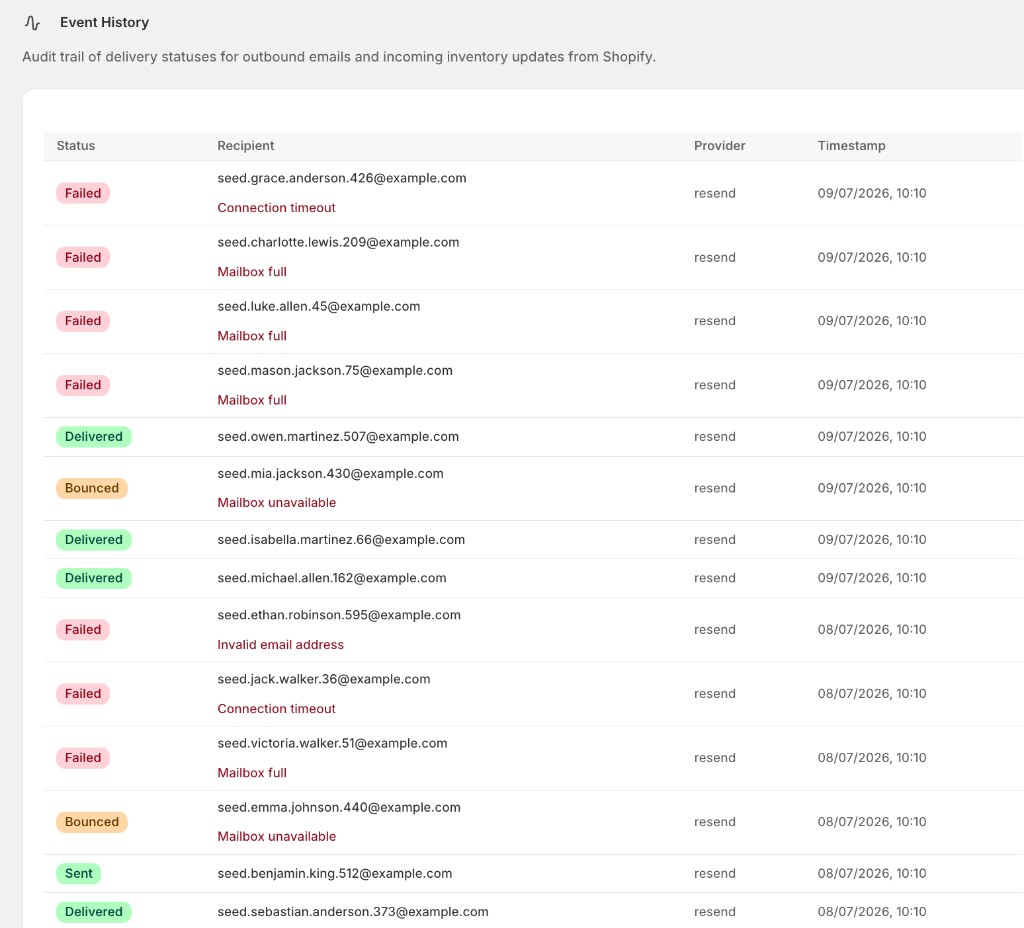
Review outbound email delivery in one place. See what was sent, when, and whether it was delivered, bounced, or failed.

  • Email notification history
  • Delivery status for each send
  • Provider and timestamp for every event
Event History table with delivered, failed, and bounced email statuses